I vividly remember the night I applied for what I thought was my absolute dream job. I had spent weeks perfecting my resume, adjusting every margin, picking the perfect font, and making sure the design was entirely flawless. To lock in that perfect formatting and ensure the recruiter saw exactly what I created, I saved it as a PDF and confidently hit the submit button. I was absolutely certain I would get a call.
A week later, I received an automatic rejection email. It happened instantly, with no feedback and no explanation. I was incredibly confused and heartbroken. I knew I had the exact skills they were asking for, yet it felt like my application was completely ignored.
It turns out, my application was ignored. The company was using an older Applicant Tracking System (ATS) that simply could not read my PDF correctly. When the software tried to scan my beautiful resume, it pulled out scrambled gibberish instead of text. To the ATS, my resume was blank. My carefully crafted design had made my resume completely invisible to their software. This frustrating experience taught me a very expensive and valuable lesson about the technology companies use to hire people.
Today, as a career coach who has helped thousands of job seekers, the single most common technical question I get asked is: "Does PDF or Word work better for ATS?" It is a question that causes endless stress for applicants everywhere. People want to know the secret to beating the robots.
In this comprehensive guide, I am going to give you a clear, detailed, and honest answer based on my years of direct experience with these systems. I will explain exactly how these applicant tracking systems work behind the scenes. More importantly, I will show you how you can use our advanced ATS checker to test both your PDF and DOCX files instantly, taking all the guesswork out of your job search.
The Great Resume Debate: PDF vs. Word

For years, job seekers have fiercely debated which file format is the absolute best for applying to jobs. The argument usually splits into two very distinct camps, and both sides believe they are completely right.
On one side of the debate, people love PDFs. The Portable Document Format (PDF) was literally invented to lock documents in place. When you save a file as a PDF, your resume looks exactly the same on every single computer, tablet, or phone. A PDF ensures that a recruiter using a Mac sees the exact same layout as a hiring manager using a Windows PC. There are no shifting margins, no missing fonts, and no weird page breaks.
On the other side of the debate, people firmly trust Microsoft Word (.docx). Microsoft Word has been the industry standard for business documents for decades. It is reliable, plain, and universally understood by almost every piece of software on the planet.
The honest truth is that both sides have incredibly valid points. But when it comes to an Applicant Tracking System, the rules completely change. An ATS is a piece of software, not a human being. An ATS does not have eyes. It does not care how pretty your resume looks. It does not care about your elegant color choices or your perfectly aligned columns.
The ATS only cares about one thing: can it read the text? If the ATS cannot read the text inside your file, it cannot see your skills. If it cannot see your skills, you will be automatically disqualified before a human ever looks at your application. It is that simple. So, which format is actually better for getting past the digital gatekeepers?
How ATS Actually Reads Files
To truly understand which file format is better, you need to understand exactly how an ATS works behind the scenes. When you click "Submit" on an application, your resume is not just saved to a folder. It goes through a highly technical process.
First, the ATS uses a specialized piece of software called a "parser." The parser is designed to scan your document and strip away all the formatting. It ignores the colors, the bold text, and the layout. It only wants to pull out the raw text data. It looks for patterns to find your name, your contact info, your job titles, your work history dates, and your specific skills.
Once the parser extracts this raw text, it organizes the data into a digital profile. This digital profile is what the recruiter actually searches and filters through. If the parser makes a mistake, your profile will be incomplete or filled with errors.
The Problem with Older Systems
Ten years ago, the answer to the format question was very simple: always, always use Microsoft Word. Older ATS parsers were frankly not very smart. They were built to read simple text files and .doc files. They struggled massively to pull text out of PDFs.
Because of how PDFs are coded, older parsers would often read the text out of order. A PDF might confuse the system so badly that it resulted in a completely blank digital profile. If your profile was blank, you were automatically rejected.
Modern ATS Technology
Today, recruiting technology has improved dramatically. Modern Applicant Tracking Systems, like Workday, Greenhouse, Taleo, and Lever, are incredibly smart. They use advanced algorithms and even artificial intelligence to parse documents.
These modern systems can read standard, text-based PDFs just as easily and accurately as they read Word documents. They have been programmed to understand the structure of a PDF and extract the information flawlessly.
However, there is a major catch that you must be aware of. Not every single company uses these modern systems. While Fortune 500 companies have the budget for top-tier software, some smaller businesses, local agencies, or older corporations still use outdated, legacy ATS software. This means that using a PDF still carries a very small, but real, risk depending on where you apply.
When to Use a PDF
Despite the slight risk with older systems, a PDF is generally considered the absolute best choice for the vast majority of job applications today. If you are applying directly on a company career page, here is why you should strongly favor using a PDF:
- It Flawlessly Preserves Formatting: A PDF acts like a digital photograph of your document. It ensures your carefully chosen fonts, your precise margins, and your overall layout stay exactly as you designed them. This is absolutely crucial when your resume finally passes the ATS and a human recruiter looks at it. You want to make a great first impression visually.
- It Prevents Accidental Changes: Have you ever opened a Word document and accidentally hit the spacebar, messing up the whole page? A PDF prevents this. Nobody can accidentally delete a line of your experience or mess up your alignment when opening a PDF file.
- No Red Squiggly Lines: Microsoft Word loves to underline unique company names or technical jargon with red spelling error lines. A PDF hides all of this, making your document look much cleaner and more professional.
- The Application Specifically Asks For It: This is the most important rule of all. If the job posting or the upload screen explicitly says "Please upload a PDF," you must always follow the instructions! Failure to follow instructions is an easy way to get rejected.
If you decide to use a PDF, you must ensure it is a proper, readable file. The biggest mistake people make is saving a picture of their resume as a PDF.
When to Use Microsoft Word (.docx)
While PDF is generally the safest and most professional choice now, there are still specific scenarios where you should strictly use a Microsoft Word (.docx) document. Knowing when to switch formats is key to a successful job hunt. Here is exactly when Word is the better choice:
- The Job Posting Asks For It: Just like with PDFs, if the employer instructions say "Upload a .doc or .docx file only," you must do exactly that. Never try to outsmart the instructions. Give them exactly what they ask for.
- Applying Through an External Staffing Agency: This is a very common scenario. Many third-party recruiters, staffing agencies, and headhunters strongly prefer Word documents. Why? Because they often need to edit your resume before presenting it to their client. They might need to remove your personal contact info, format it into their agency template, or add their own summary notes at the top. A Word document allows them to do this easily.
- Emailing Your Resume Directly: Sometimes, sending a Word document via email can be safer if you are unsure what email client the receiver is using, though PDFs are generally fine here too.
- You Want 100% Guaranteed Parsing: If you are applying to a very small, local company that looks like they have an outdated website, they might have an outdated ATS. If you want to be absolutely, 100% sure that even the oldest, clunkiest parsing software from 2005 can read your text, a standard .docx file is the safest bet in the entire world.
When using a Word document, be mindful that the layout might shift slightly depending on the version of Word the recruiter is using. Keep your formatting as simple and robust as possible to minimize this risk.
Common Formatting Mistakes That Break ATS
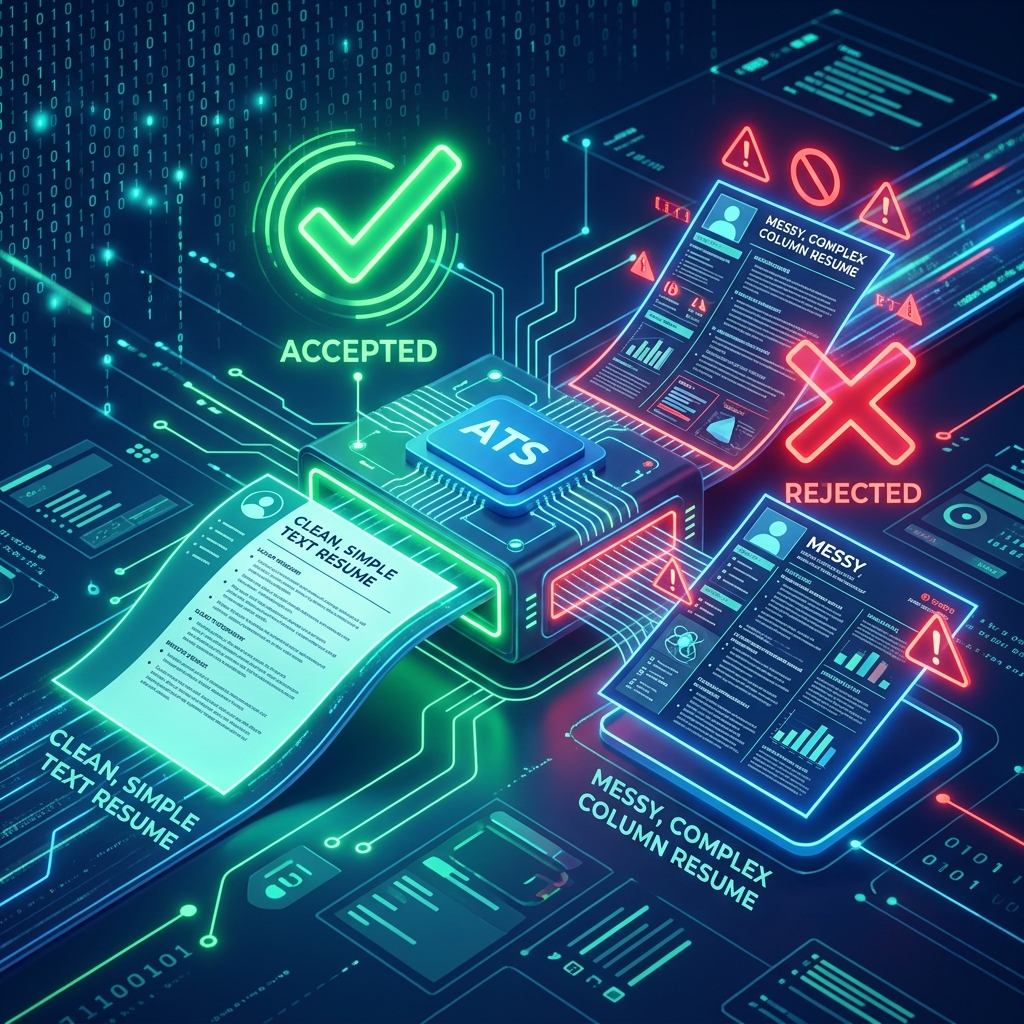
Here is a harsh reality: Whether you ultimately choose to use a PDF or a Word document, bad formatting will completely ruin your chances. It is not just about the file extension; it is about how the data inside the file is structured.
Many job seekers try to make their resumes look like beautiful graphic design portfolios. While this looks great to a human, it creates a nightmare for an Applicant Tracking System. Here are the biggest formatting mistakes that confuse ATS parsers and lead to automatic rejections:
- Using Multiple Columns: This is the number one reason resumes fail. ATS parsers are programmed to read text strictly from left to right, and from top to bottom. If you use a modern two-column layout, the ATS might read the text straight across both columns. This will mash your job titles and your skills together into complete, unreadable nonsense. Stick to a single-column layout.
- Using Tables or Text Boxes: To create unique layouts, many people hide their text inside invisible tables or floating text boxes. You must stop doing this immediately. Many older systems simply cannot see inside tables or text boxes. To the ATS, the text inside them simply does not exist. It disappears entirely.
- Putting Crucial Info in Headers and Footers: It is common to put your name, phone number, and email address in the document header to save space. Do not do this. The ATS often ignores headers and footers completely. Put your contact information in the main body of the document.
- Using Strange or Custom Fonts: You might think using a custom downloaded font makes you stand out. But if the ATS does not recognize the font, it might convert your text into wingdings or strange symbols. Always stick to standard, universally readable fonts like Arial, Calibri, Garamond, or Times New Roman.
- Using Graphic Icons: Using tiny pictures of a phone or an envelope instead of typing the words "Phone" or "Email" can confuse the parser. Stick to text labels.
The golden rule of ATS resumes is simplicity. The simpler the layout, the easier it is for the machine to read and understand your qualifications.
How Our Tool Solves the Problem
Reading about ATS rules can be incredibly stressful. Testing your resume file used to feel like a complete guessing game. You would upload your file to a job portal and just cross your fingers, hoping for the best. You never really knew if the machine read it correctly until you either got a call or a rejection email.
This overwhelming uncertainty is exactly why our team built our advanced ATS checker. We wanted to give job seekers their power back.
Most basic online resume scanners have a huge flaw: they only accept one type of file, or they severely struggle to read PDFs accurately. This is a massive gap in the market that leaves job seekers with false information.
Our ATS checker is built entirely differently. It is designed with enterprise-grade parsing technology. It accepts and flawlessly parses both PDF and DOCX formats. When you upload your file to our system, our tool reads it exactly like a top-tier enterprise Applicant Tracking System would.
If there is a parsing error because of a bad column layout, or if your PDF was accidentally saved as an unreadable image, our tool will catch it immediately. It will tell you instantly what the robot sees. You do not have to guess anymore. You can test your file in a safe environment, fix any hidden formatting errors, and finally apply to your dream jobs with total and complete confidence.
Making the Final Choice for Your Career
As someone who has worked extensively on both sides of the hiring process—both as a frustrated job seeker and as a hiring manager reviewing thousands of automated profiles—my final advice is remarkably simple: use a PDF unless you are specifically told otherwise.
The vast majority of modern Applicant Tracking Systems are more than capable of reading standard PDFs today. Furthermore, the massive benefit of locking in your perfect formatting for the human recruiter is simply too big to ignore. You want to look as professional as possible when human eyes finally land on your document.
However, you must be diligent. You must ensure your PDF is text-based and cleanly formatted without complex columns, invisible tables, or headers. Never leave your career trajectory up to chance or hope.
Before you submit your next high-stakes application, take two minutes to run your file through our ATS checker. We proudly accept both PDF and Word formats, so you can test your exact file and guarantee that the robots will pass your profile through to the interview round. Your dream job is waiting—make sure your resume format does not stand in the way.